SSL or Secured Socket Layer is the protocol web browsers and web servers use to communicate in a secure, encrypted way. A link to a secure website always begins with:
https://www.somedomain.com/somepage.html
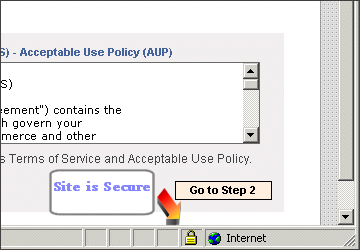
When a secure connection has been made between browser and server, the browser will usually display a small padlock indicating the page is secure. In Internet Explorer the padlock appears like this:
JCNetworks' shared SSL address uses this formula:
https://www.jcnetworks.net/~username
You should substitute ~username with your actual login username but be sure to keep the ~ tilde in front of your name. This link will put you inside your public_html folder. If your secure page is called checkout.html and if it's located in public_html the link would be:
https://www.jcnetworks.net/~username/checkout.html
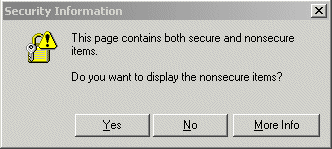
Make sure all internal links inside checkout.html use the full SSL link to each graphic, etc. If you include graphics with relative links the user will see a warning like this: